# Vue Js – Weather App

**Created a weather app using Vue and Open Weather Map API.**

Created a vue app using Vue CLI – vue create vue-weather-app
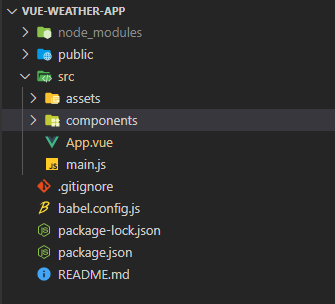
![](https://cdn.hashnode.com/res/hashnode/image/upload/v1636355298382/0wznGumBM.png)Code Skeleton

App.vue – template code : use of v-model, v-on:click, interpolation syntax

    <template>
      <div id="container">
        <h3>Weather app using Vue and Open Weather map API</h3>
        <input
          type="text"
          placeholder="Search..."
          v-model="searchQuery"
          class="search-input"
        />
        <div>
          <button v-on:click="callApi()">Submit</button>
        </div>
        <div class="weather-data" v-if="typeof weatherData.main != 'undefined'">
          <div class="desc">{{ todayDate }}</div>
          <div class="details">{{ Math.floor(weatherData.main.temp) }} °C</div>
          <div class="desc">
            Min Temp: {{ Math.floor(weatherData.main.temp_min) }} °C
          </div>
          <div class="desc">
            Max Temp: {{ Math.floor(weatherData.main.temp_max) }} °C
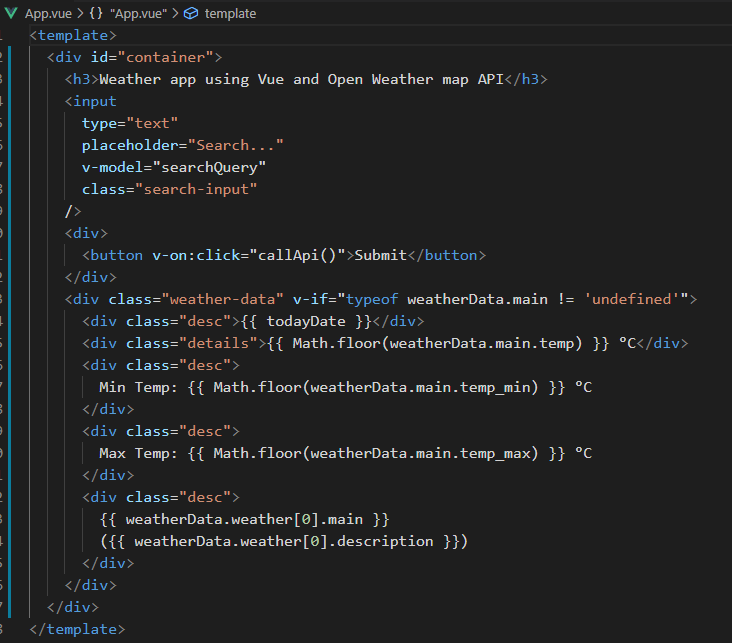
          </div>
          <div class="desc">
            {{ weatherData.weather[0].main }}
            ({{ weatherData.weather[0].description }})
          </div>
        </div>
      </div>
    </template>

![](https://cdn.hashnode.com/res/hashnode/image/upload/v1636355301756/IH8XKBXA3.png)template

App.vue – script – use of JavaScript’s fetch() to call the API.
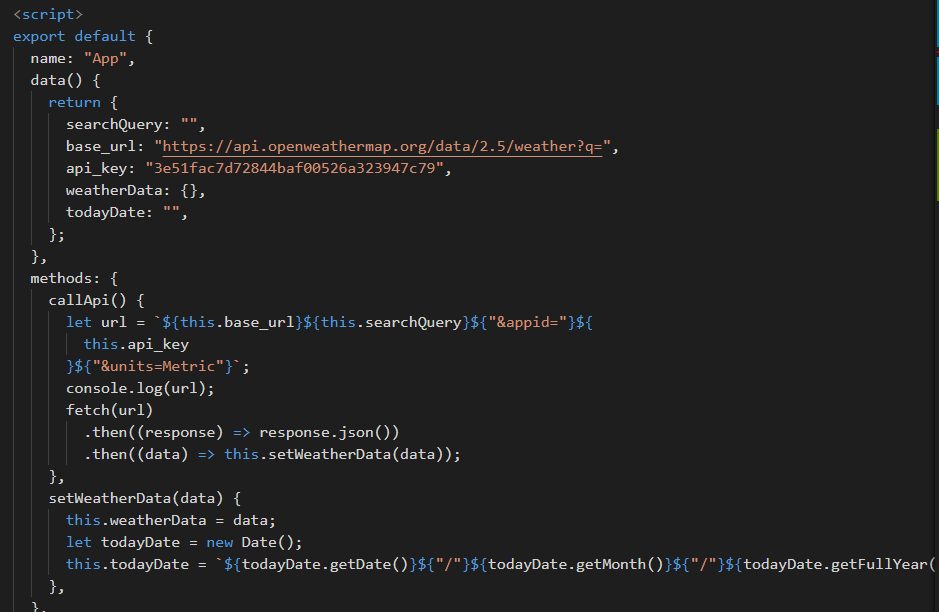
    <script>
    export default {
      name: "App",
      data() {
        return {
          searchQuery: "",
          base_url: "https://api.openweathermap.org/data/2.5/weather?q=",
          api_key: "3e51fac7d72844baf00526a323947c79",
          weatherData: {},
          todayDate: "",
        };
      },
      methods: {
    
        callApi() {
          let url = `${this.base_url}${this.searchQuery}${"&appid="}${
            this.api_key
          }${"&units=Metric"}`;
          console.log(url);
          fetch(url)
            .then((response) => response.json())
            .then((data) => this.setWeatherData(data));
        },
    
        setWeatherData(data) {
          this.weatherData = data;
          let todayDate = new Date();
          this.todayDate = `${todayDate.getDate()}${"/"}${todayDate.getMonth()}${"/"}${todayDate.getFullYear()}`;
        },
      },
    };
    </script>

![](https://cdn.hashnode.com/res/hashnode/image/upload/v1636355305291/_oYcK8m5J.png)script

App.vue – styles

    <style>
    #app {
      font-family: Avenir, Helvetica, Arial, sans-serif;
      -webkit-font-smoothing: antialiased;
      -moz-osx-font-smoothing: grayscale;
      text-align: center;
      color: #2c3e50;
      margin-top: 60px;
      background-image: linear-gradient(#bdc3c7, #2c3e50);
      height: 90vh;
    }
    #container .search-input {
      box-shadow: 5px 5px grey;
      width: 250px;
      height: 30px;
      font-size: 20px;
      color: darkgreen;
    }
    button {
      margin-top: 20px;
      width: 150px;
      height: 30px;
      font-size: 20px;
      background-color: black;
      color: white;
    }
    .desc {
      color: cornflowerblue;
      margin-top: 10px;
      font-size: 50px;
      text-shadow: 1px 3px rgba(0, 0, 0, 0.5);
      font-family: "Segoe UI", Tahoma, Geneva, Verdana, sans-serif;
    }
    .details {
      color: chocolate;
      margin-top: 10px;
      font-size: 70px;
      text-shadow: 1px 3px rgba(0, 0, 0, 0.25);
      font-family: "Segoe UI", Tahoma, Geneva, Verdana, sans-serif;
    }
    h3 {
      color: tomato;
      font-size: 40px;
      text-shadow: 1px 3px rgba(0, 0, 0, 0.25);
    }
    </style>

![](https://cdn.hashnode.com/res/hashnode/image/upload/v1636355308480/6NAZbBmt9.png)styles

Open Weather Map API which has been used is as below:

https://api.openweathermap.org/data/2.5/weather?q={city name}&appid={API key}&units=’Metric’

API Key can be generated after signing up at https://openweathermap.org/api

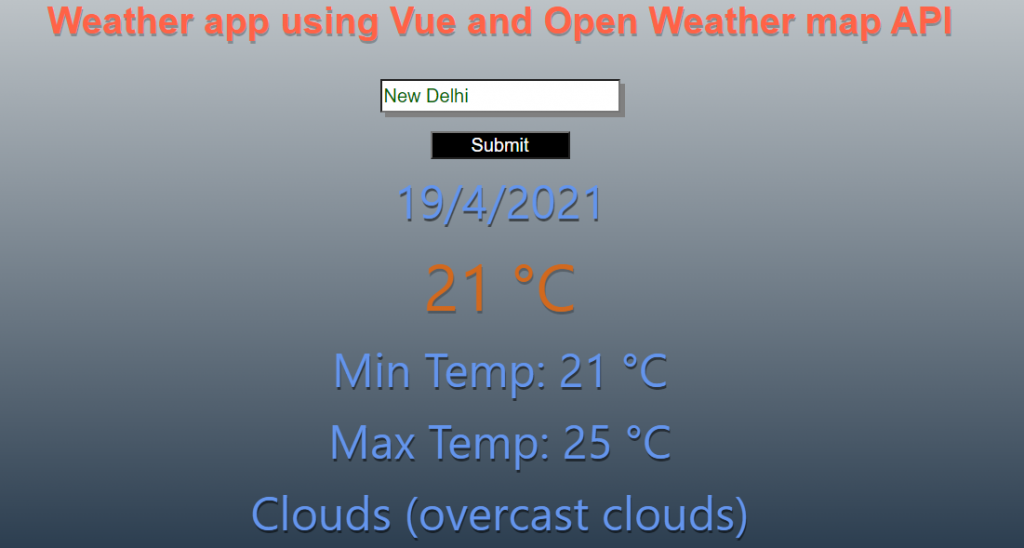
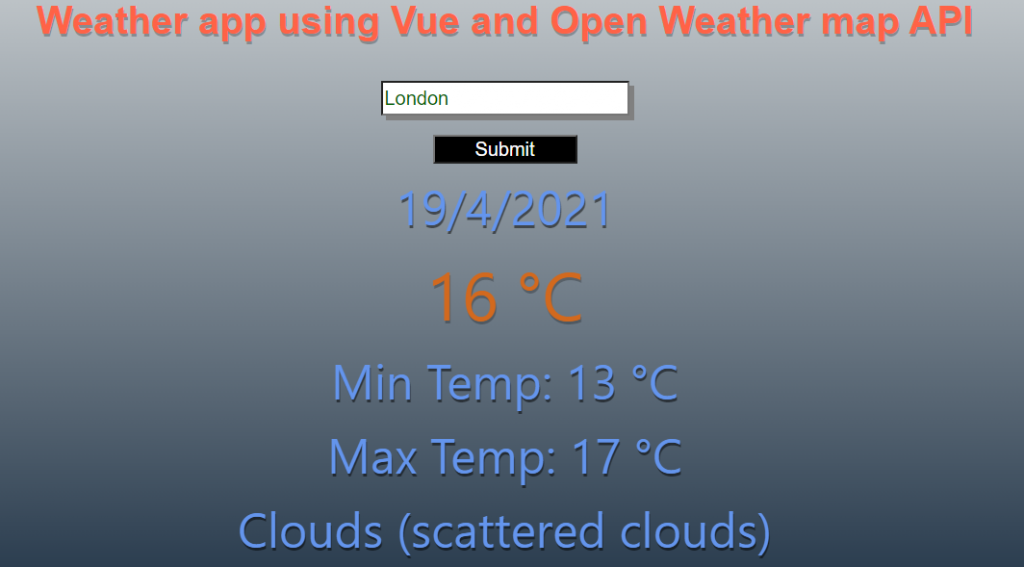
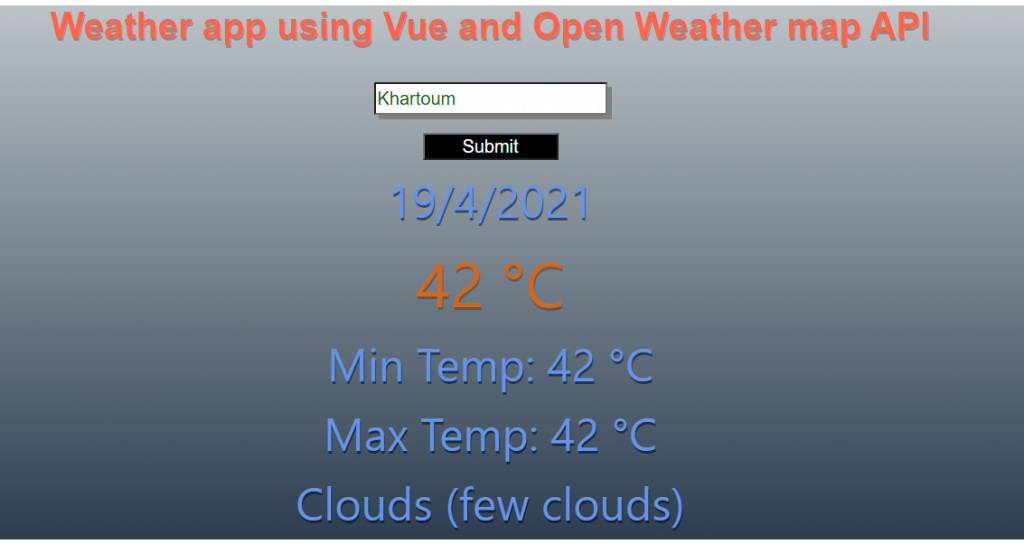
App screenshots:
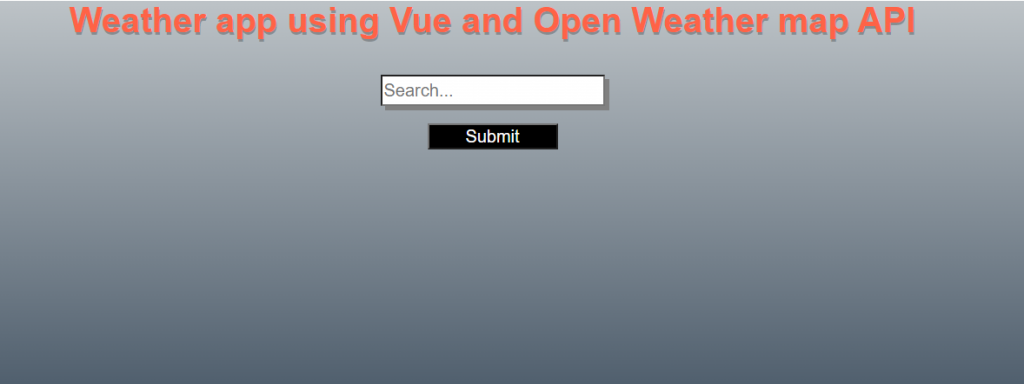
![image1](https://cdn.hashnode.com/res/hashnode/image/upload/v1636355312633/rLdLTJH0X.png)Image 1 – Page load![image2](https://cdn.hashnode.com/res/hashnode/image/upload/v1636355321673/yJkVepAra.png)Image 2 – New Delhi![image3](https://cdn.hashnode.com/res/hashnode/image/upload/v1636355327442/oqrHuKeO_.png)Image 3 – London![image 4](https://cdn.hashnode.com/res/hashnode/image/upload/v1636355335459/lqc4awBN-.png)Image 4 – Khartoum (capital of Sudan)

Entire code can be found at –

[https://github.com/anurag1302/vue-weather-app](https://github.com/anurag1302/vue-weather-app)